

A new way to CarPlay.
Designed to disappear.
Your Cart is Empty
Browse our collections and add
your favorite items to get started!
Free Shipping US Orders $85+
Make Wired CarPlay and Android Auto Wireless
Expected ship date:
FREE Shipping Over $85+ | 30-Day Returns
Two-Year Manufacturer’s Warranty
Couldn't load pickup availability
AirFly Drive expands the AirFly family, bringing wireless audio freedom to your CarPlay or Android Auto-enabled vehicle. Plug in, pair once, and your iPhone or Android device connects wirelessly to your car seconds after you start your vehicle. AirFly Drive removes the need to find your cable and plug in every time you get into your vehicle, making driving more seamless. Access your favorite music, podcasts, maps for navigation, and more – all while your phone stays in your bag.
Compatible Devices Android 11+, Apple iPhone iOS 10+, Compatible with vehicles featuring Apple CarPlay / Android Auto from 2016 onward. See full list here.
Shipping
We offer free ground shipping for all US orders of $85 or more. For personalized products please allow 5-7 business days to process.
30-Day Returns
We want you to love your new gear. If it’s not quite right, you can return it within 30 days for a refund.
Custom monogram items are final sale and non-refundable.
Our products come with a two-year manufacturer's warranty.

CarPlay and Android Auto make the driving experience with your phone easier and safer – but with vehicles that require it to be plugged in, that becomes one more thing to remember to do when you start your car. AirFly Drive makes this experience completely wireless – leave your phone in your bag, pocket, or wherever it is, and enjoy the convenience of CarPlay and Android Auto every time you drive.
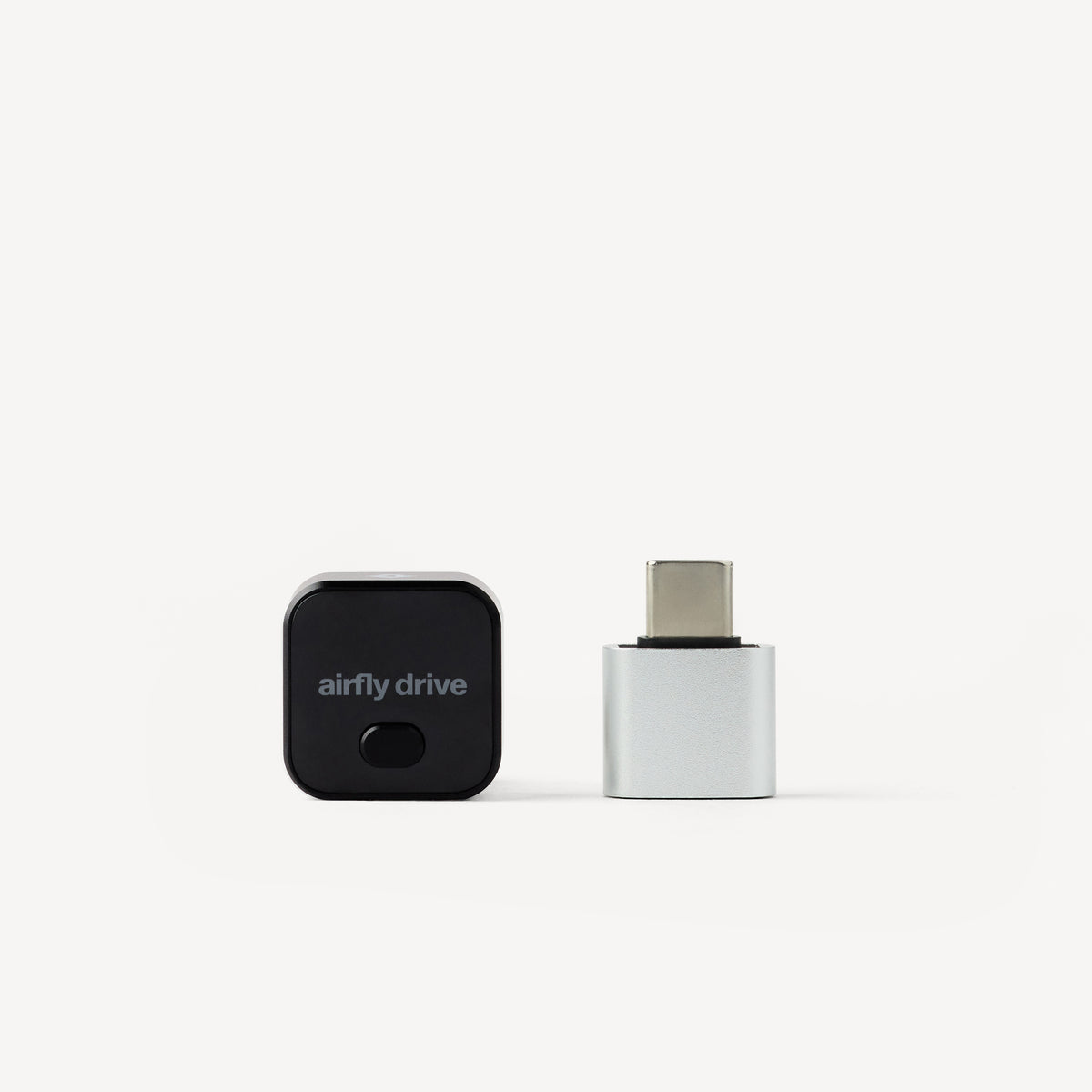
With an ultra-compact and modern aluminum design, AirFly Drive seamlessly integrates into your car once plugged in, without long connected cables or a large footprint that takes up valuable space in your center console. It's a small upgrade that you'll find makes a big impact on your daily routine.
After a simple initial setup, AirFly Drive automatically reconnects your phone to your car in seconds when you start your vehicle, giving you one less thing to think about on your adventure. Have multiple phones or share a car with family members? Simply push the button on the front of AirFly Drive to seamlessly switch between them at any time.
CarPlay and Android Auto make the driving experience with your phone easier and safer – but with vehicles that require it to be plugged in, that becomes one more thing to remember to do when you start your car. AirFly Drive makes this experience completely wireless – leave your phone in your bag, pocket, or wherever it is, and enjoy the convenience of CarPlay and Android Auto every time you drive.
With an ultra-compact and modern aluminum design, AirFly Drive seamlessly integrates into your car once plugged in, without long connected cables or a large footprint that takes up valuable space in your center console. It's a small upgrade that you'll find makes a big impact on your daily routine.
After a simple initial setup, AirFly Drive automatically reconnects your phone to your car in seconds when you start your vehicle, giving you one less thing to think about on your adventure. Have multiple phones or share a car with family members? Simply push the button on the front of AirFly Drive to seamlessly switch between them at any time.
AirFly Drive is made from an aluminum alloy and polycarbonate housing measuring 0.89 x 0.89 x 1.06 in (22.5 x 22.5 x 27 mm) and weighing 42 g, small enough to disappear into your console once it’s plugged in.
Yes. AirFly Drive pairs with two phones and lets you switch between them with a single press, no re-pairing needed.
AirFly Drive works with any car that already has a wired Apple CarPlay or wired Android Auto system, most vehicles from around 2016 on. Not sure if your car has CarPlay or Android Auto? Apple and Google both publish compatible vehicle lists, or you can check with your manufacturer. AirFly Drive is not compatible with AUX-only vehicles.
Scan the QR code included in the box to check our official vehicle compatibility list. If you need additional help, our friendly support team can help confirm compatibility at support@twelvesouth.com.
Only if your vehicle's port is USB-C. AirFly Drive connects natively via USB-A; the included USB-A to USB-C adapter is there for cars with a USB-C connection. Either way, setup is still plug and play.
Every AirFly Drive comes with:
AirFly Drive needs to go into your car’s media-enabled CarPlay/Android Auto media port, not the charge-only port. Many cars have both port types, and plugging AirFly Drive into the charging-only one means it won’t launch. Check for a CarPlay/Android Auto icon near the port, or your owner’s manual.
AirFly Drive plugs into your car’s CarPlay or Android Auto USB port and turns the wired connection wireless. Before first-time setup, disconnect your phone from your car’s Bluetooth by selecting your vehicle in your phone’s Bluetooth settings and choosing Forget This Device.
Then, plug in AirFly Drive and follow the on-screen instructions. If the setup screen doesn’t appear, select the Apple CarPlay icon on your car’s infotainment screen—even if you use an Android phone.
Once connected, you can confirm the connection in your phone’s Wi-Fi settings, where you’ll see “AirFly Drive.” AirFly Drive uses Wi-Fi to establish the connection between your phone and car. Pair once, and future drives connect automatically—no cable or app needed.